Quickstart
Ahoy there! Let’s get you up and running with Captain. We’ve made this quick and easy.
Prerequisites
Get Your API Credentials
You’ll need:
- API Key from Captain API Studio (format:
cap_dev_...,cap_prod_...) - Organization ID (UUID format, also available in the Studio)
Store your API key securely, such as in an environment variable:
[1/3] Create a Collection
In order for Captain to be able to search files, we need to first create a Collection for our files to be indexed into.
This is as easy as a single API call: See the Create Collection - API Reference
After the collection is created, we should get a response like this:
[2/3] Index Files into Collections
Next, we need to index our files into the collection.
Captain supports indexing into collections from AWS S3, Google Cloud Storage (GCS), and Azure Blob Storage via the API. You can also connect Google Drive, SharePoint, Notion, and more through the Captain Studio.
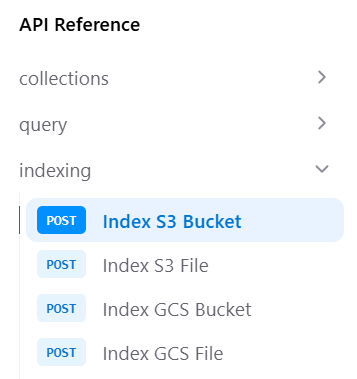
Option A: Index AWS S3 Bucket
See the Index S3 Bucket - API Reference
Need AWS credentials? See the Connect Cloud Storage Guide for step-by-step instructions.
Option B: Index Google Cloud Storage Bucket
See the Index GCS Bucket - API Reference
Need GCS credentials? See the Connect Cloud Storage Guide for step-by-step instructions.
Option C: Index Azure Blob Storage
See the Index Azure Container - API Reference
Monitor Indexing Progress
See the Get Job Status - API Reference
[3/3] Querying Collections
Once your files are indexed, you can query the collection. See the Query Collection - API Reference
Querying with LLM Inference
Query your collection with AI-generated answers:
Querying without LLM Inference
Fetch relevant context without AI-generated answers:
Querying with Streaming
Get real-time responses as they’re generated:
Other Info
Environment Scoping
API keys are scoped to environments:
- Development (
cap_dev_*) - For testing and development - Staging (
cap_stage_*) - For pre-production testing - Production (
cap_prod_*) - For production use
Collections created with a development key can only be accessed with development keys from the same organization.
Supported File Types
Captain supports 30+ file types including:
Documents: PDF, DOCX, TXT, MD, RTF, ODT Spreadsheets: XLSX, XLS, CSV Presentations: PPTX, PPT Images: JPG, PNG (with OCR) Code: PY, JS, TS, HTML, CSS, PHP, JAVA Data: JSON, XML
Contact support@runcaptain.com to request file types.
More Data Sources
Beyond cloud storage, Captain connects to Google Drive, SharePoint, Notion, Slack, Snowflake, Linear, Jira, and more. See the Integrations page for the full list of supported data sources and the difference between Indexed Search and Live Search.
Getting Help
Need assistance? We’re here to help!
- Email: support@runcaptain.com
- Documentation: docs.runcaptain.com